
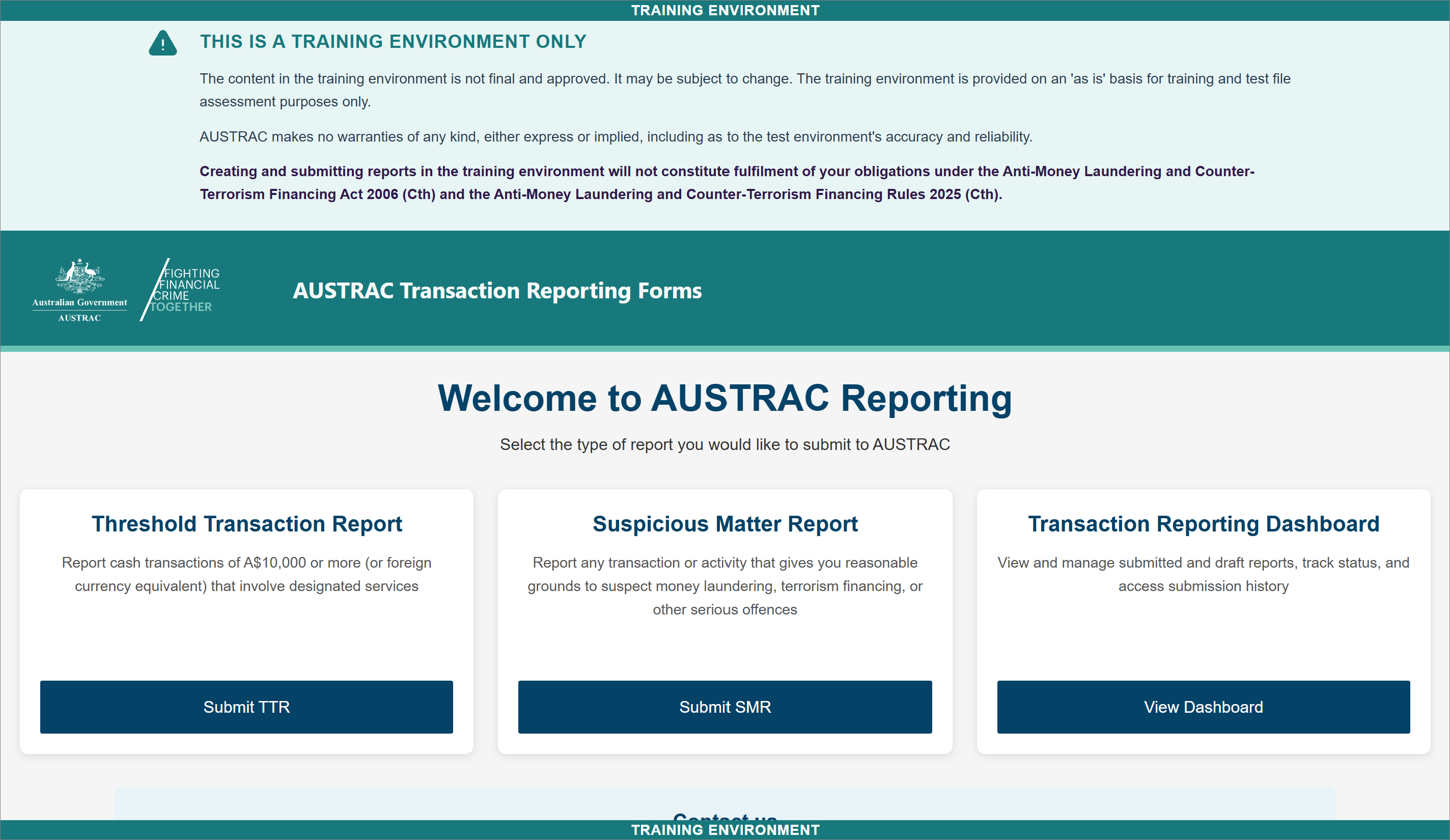
Find the form
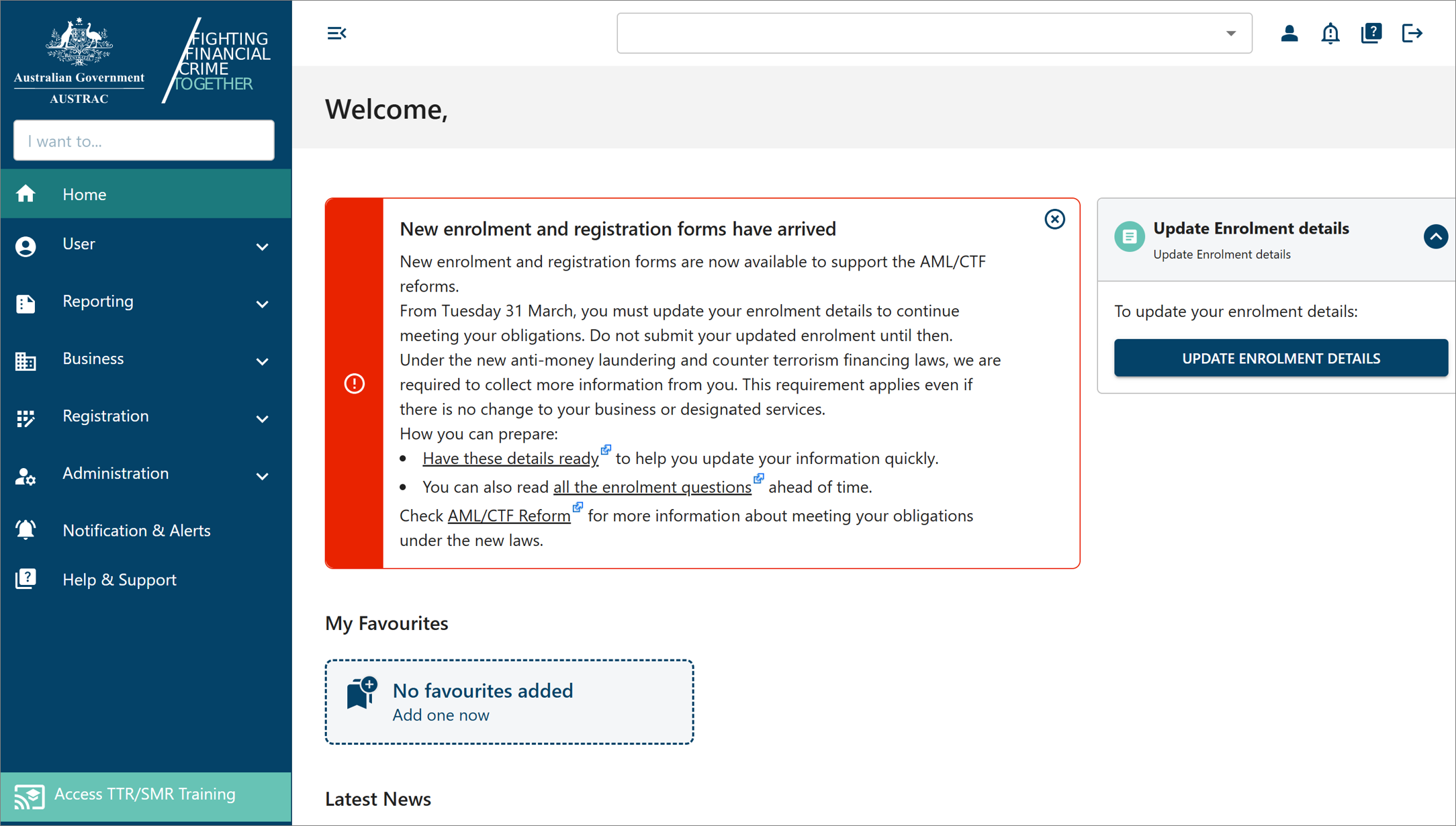
Go to online.apps.austrac.gov.au and log in with your username, password and login code.
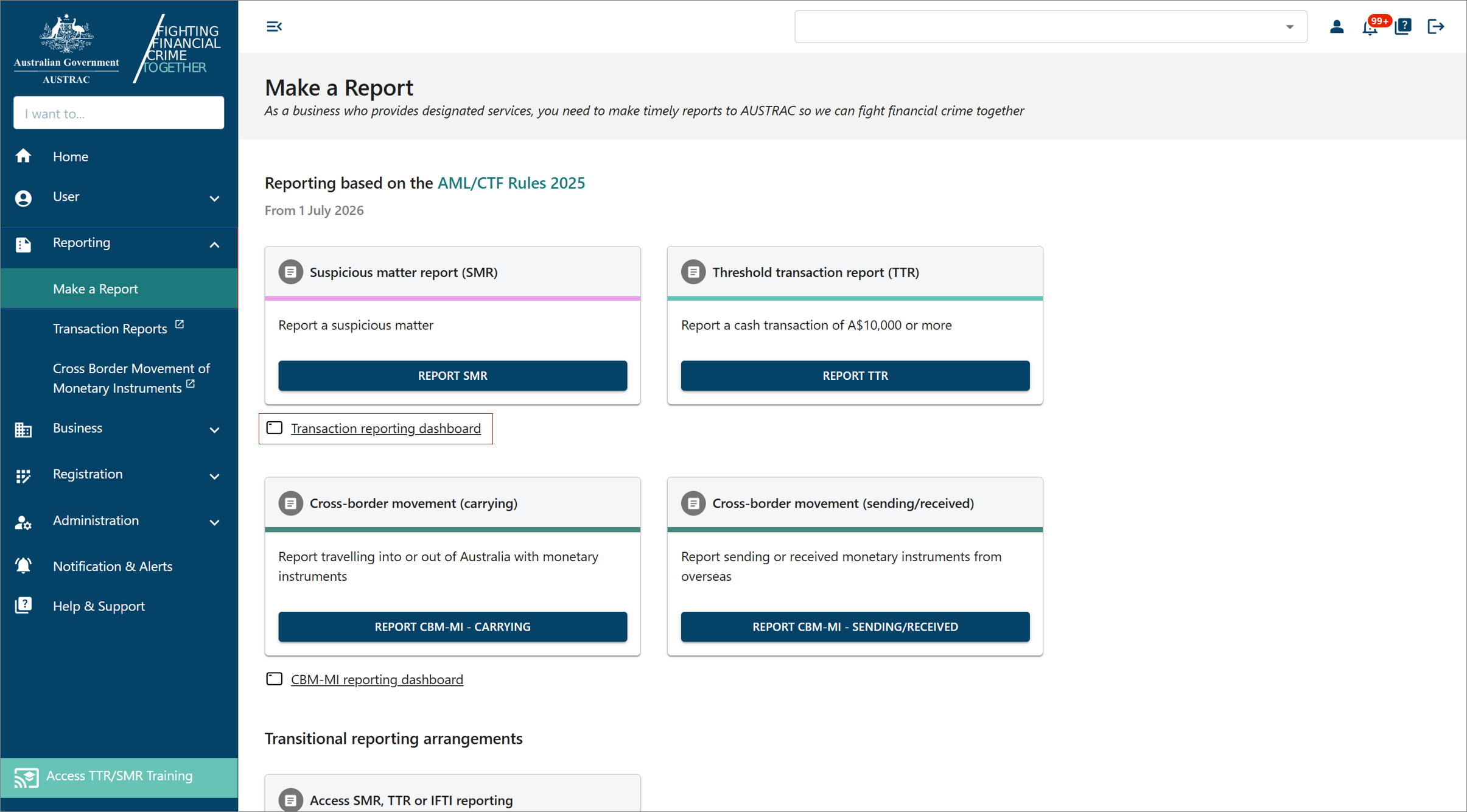
Select Reporting, then Make a Report.
Select Report TTR.
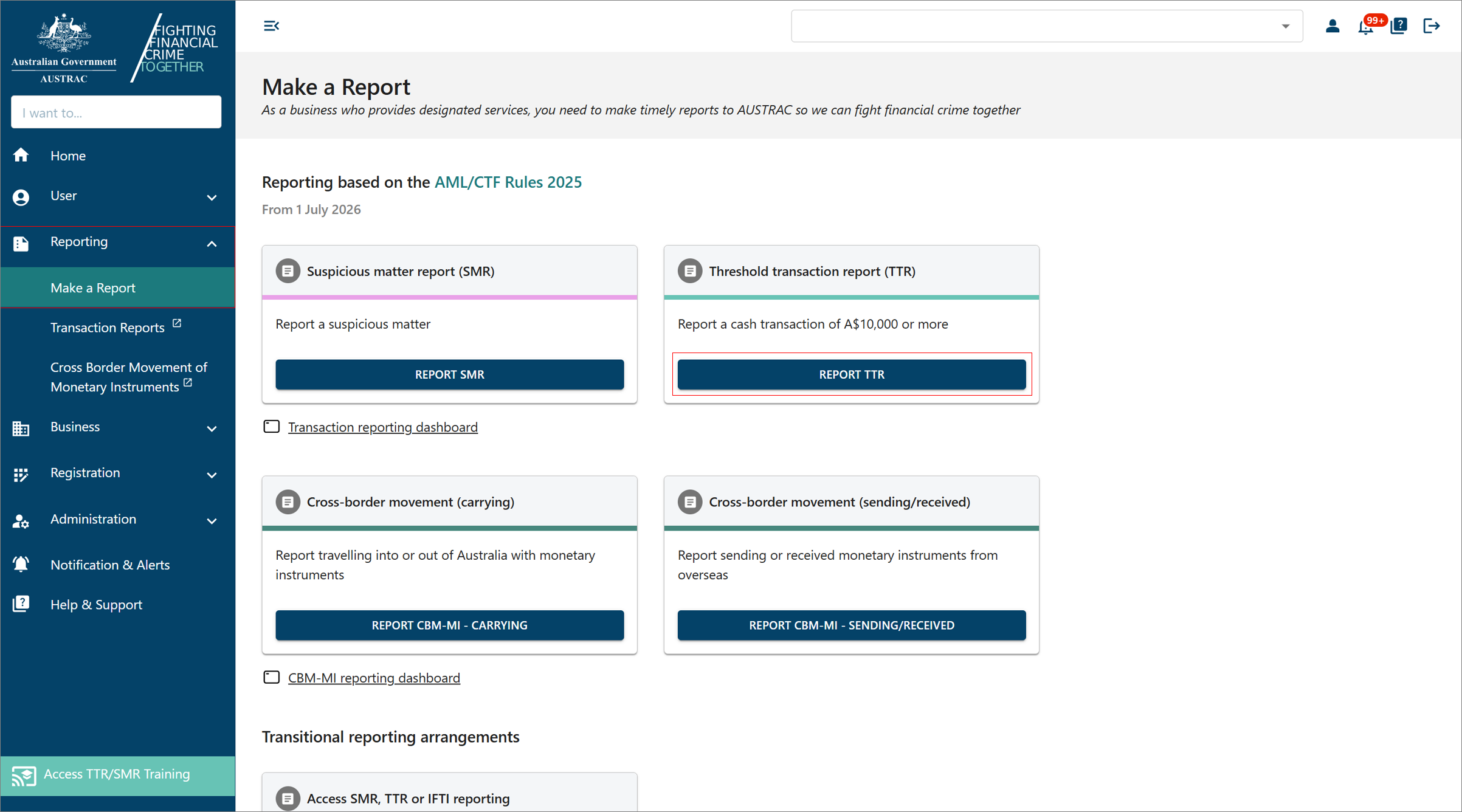 Click to enlarge
On the Threshold Transaction Report page, select Start single report. Leave File upload alone: it is for software that produces XML files, not for a person typing a report.
Fill it in
How the form behaves
The panel on the left lists the sections of the report. A tick means a section is finished, an exclamation mark means it is not finished or has an error, and the green dots mark the section you are in. Move with next and back, or select a section name.
Fields with a ? beside them have a tip. Select it when a question is unclear.
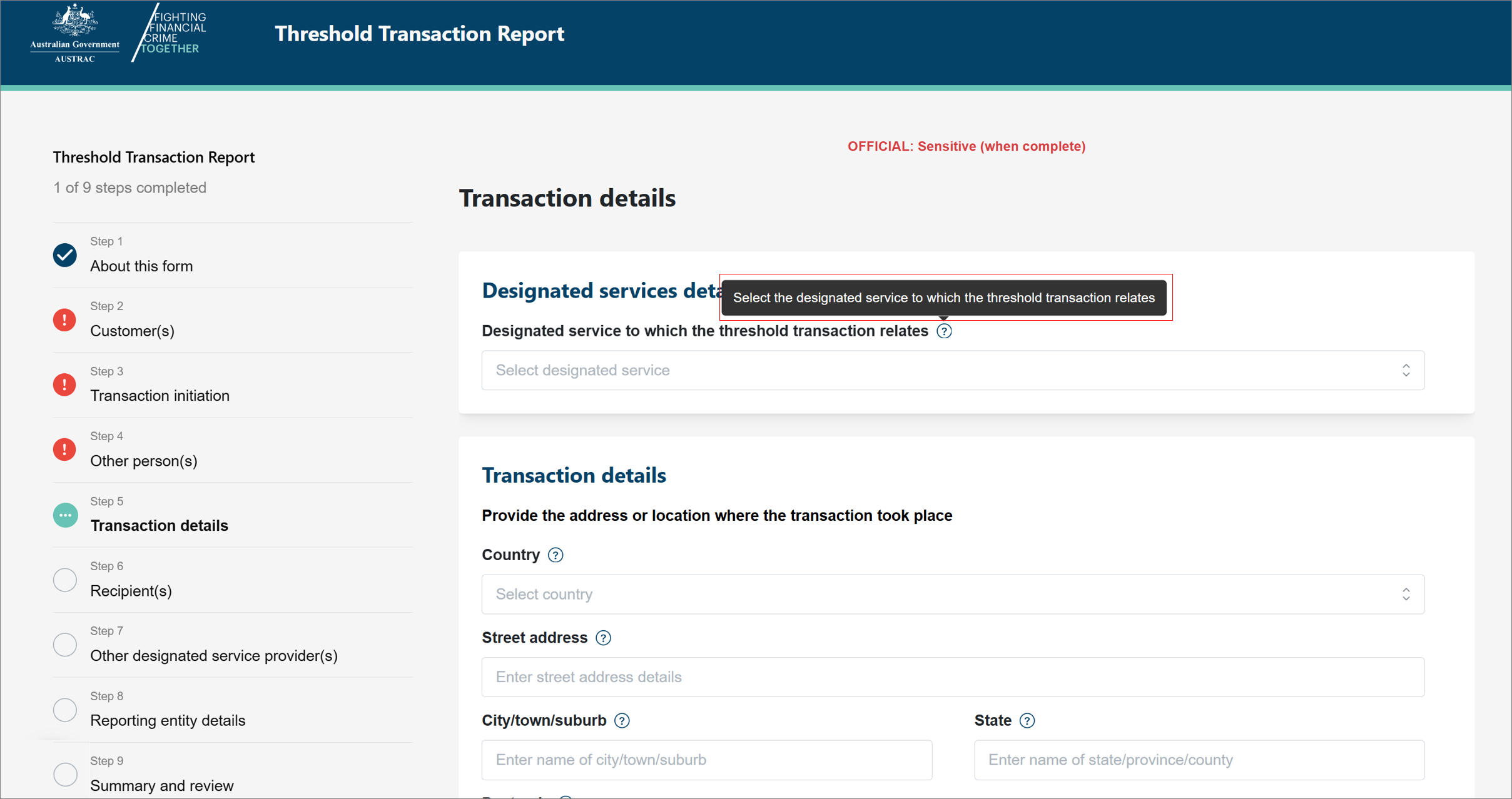
Start with the customer of the transaction: the person or business the designated service was for. Only add another person if someone other than the customer actually handed over or arranged the cash.
The transaction section changes with the service you provided and what was involved. Enter the date, the amount, and answer what it asks. If you have reasonable grounds to suspect the customer split a larger amount to stay under $10,000, that is a matter for an SMR, not a TTR question, and lodge an SMR instead of, or as well as, this report.
If you need to stop, select save and close. The draft waits in the Transaction reporting dashboard. To pick it up again, open the dashboard, select the DRAFT tab, and select the edit icon in the Actions column.
Send it
In the summary and review section, read it once more, then select submit.
What you will see when it worked
AUSTRAC acknowledges the report on screen. The receipt with its AUSTRAC reference number is in the Transaction reporting dashboard: select Reporting, Make a Report, Transaction reporting dashboard, find the report, select its reference number, then DOWNLOAD RECEIPT. Save the PDF with your compliance records.
If something goes wrong
- You are not sure the payment counts. It counts if it was physical currency of $10,000 or more in one transaction. Two separate cash payments of $6,000 on different days are two transactions and neither needs a TTR, but the pattern may need an SMR.
- A section shows an exclamation mark. Open it from the left panel, fix the field it names, and try again. Submit stays blocked until every required field is complete.
- You submitted with a mistake in it. Request an amendment from the dashboard. After you lodge shows where.
- The 10 business days have already passed. Lodge it now anyway; the obligation does not lapse. Write a note in your compliance file explaining why it was late. A late report is better than none.
Record it in AML Mate
Record the cash transaction in AML Mate's Transaction Monitoring; it flags cash transactions of $10,000 or more and gives you a Create TTR button that opens a pre-filled TTR form. After you submit, once the report is marked ready to lodge, enter the AUSTRAC Reference Number in the Mark as Lodged with AUSTRAC card and select Mark Lodged; the date is recorded automatically. Open TTR reports.
Sources
- AUSTRAC, QRG: Submitting a threshold transaction report (TTR)AUSTRAC last updated
- AUSTRAC, threshold transaction reportsAUSTRAC last updated
- AUSTRAC, QRG: Using the TTR/SMR training environmentAUSTRAC last updated
- AUSTRAC, QRG: How to submit TTRs or SMRs through a file uploadAUSTRAC last updated
- AUSTRAC, QRG: Navigating the reporting dashboardAUSTRAC last updated
- AUSTRAC, QRG: Requesting to amend or withdraw a reportAUSTRAC last updated
Screenshots © AUSTRAC for the Commonwealth of Australia 2026, used under CC BY 4.0. AUSTRAC does not endorse AML Mate.