
Find your receipts and drafts
Log in, select Reporting, Make a Report, then Transaction reporting dashboard.
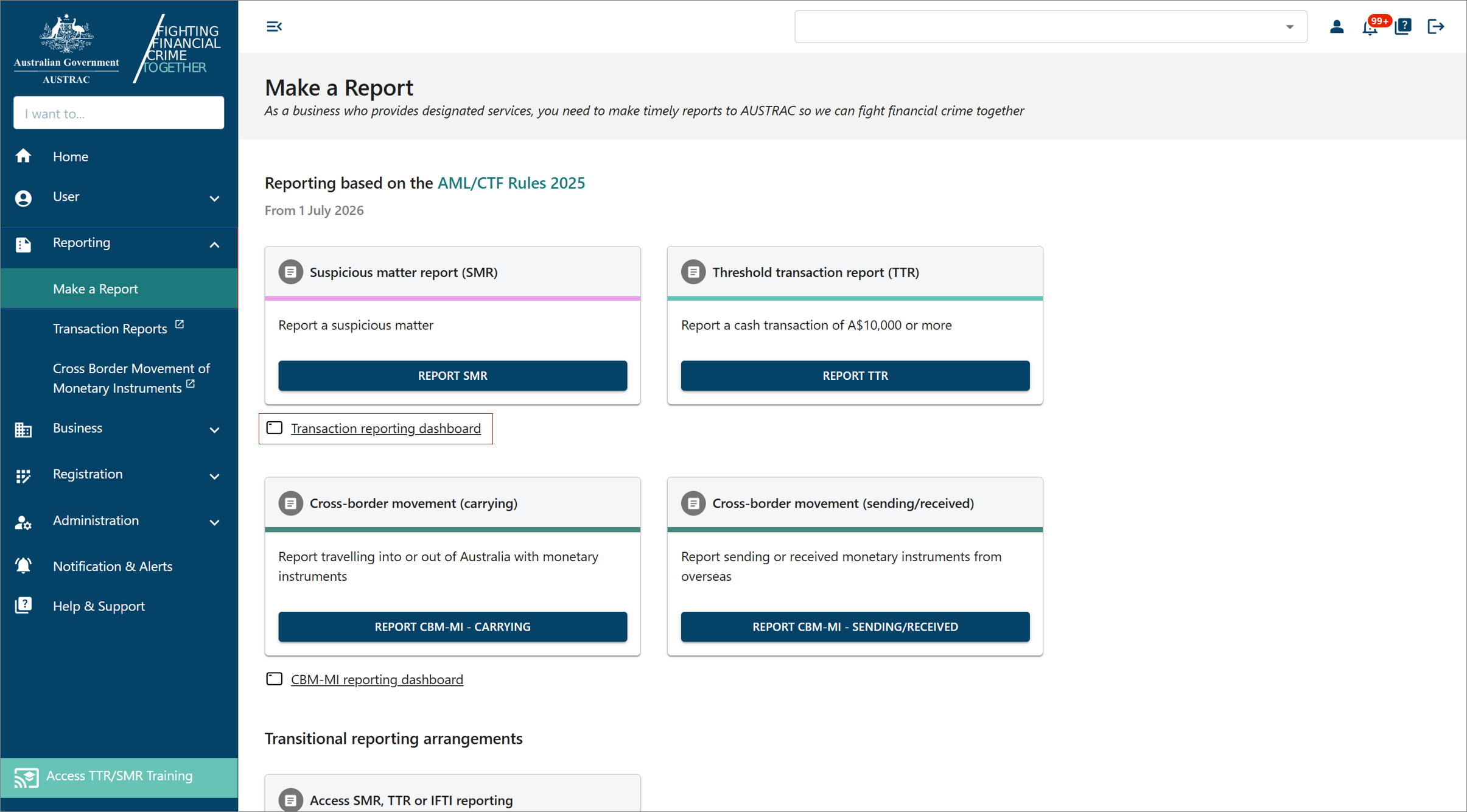 Click to enlarge
The dashboard lists every report you have submitted, its status, date and type. Select the DRAFT tab for reports you started and have not sent; the edit icon in the Actions column continues one, the delete icon removes it.
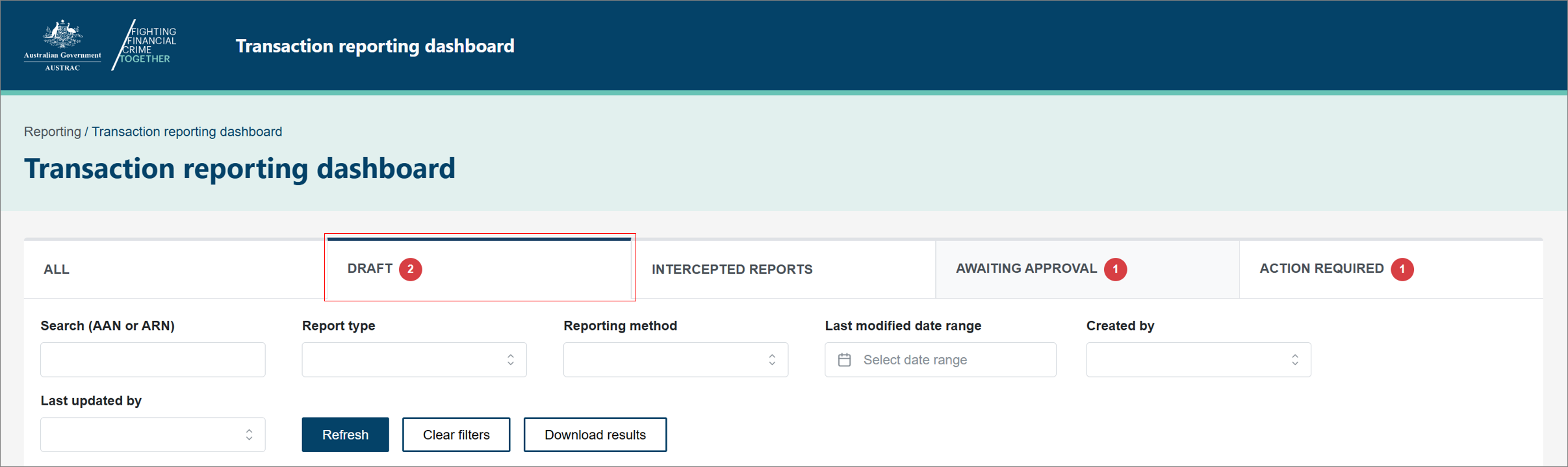 Click to enlarge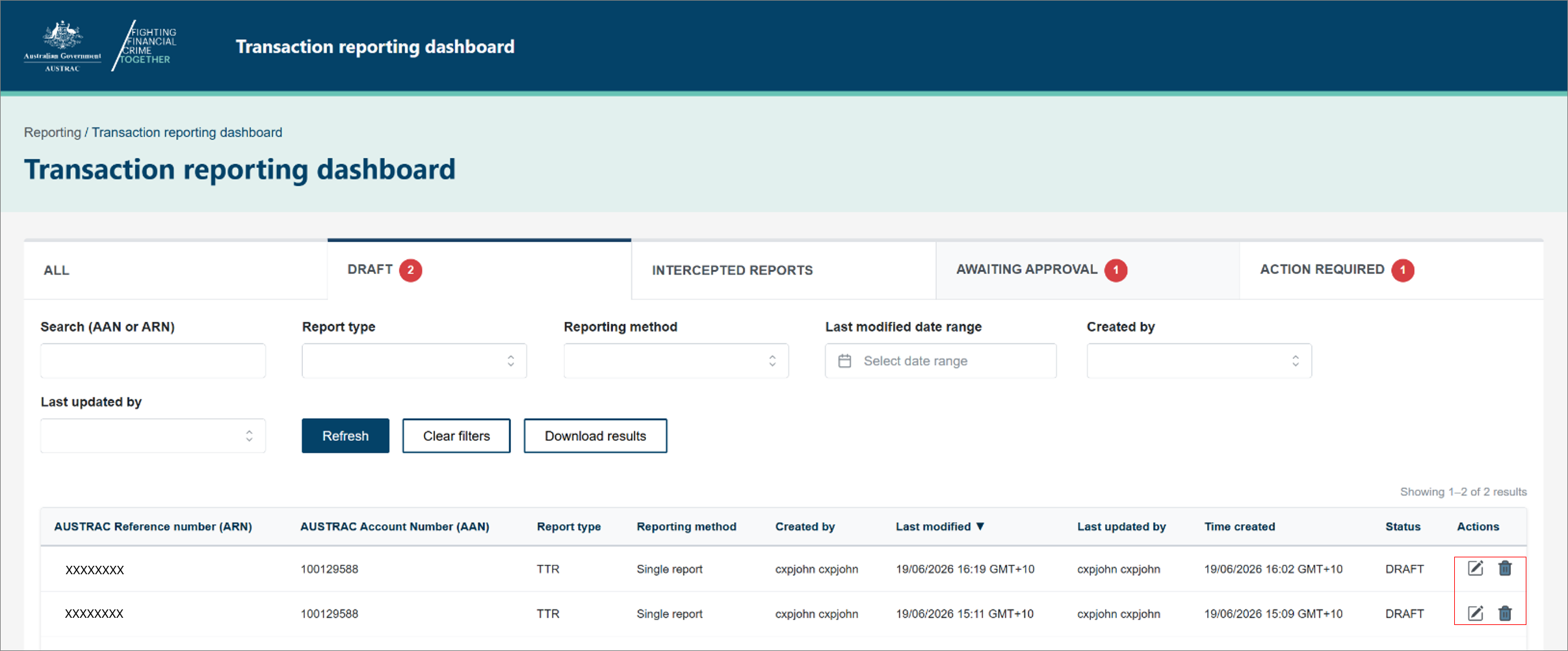
To get a receipt, select the report's AUSTRAC reference number, then DOWNLOAD RECEIPT. Save the copy with your compliance records.
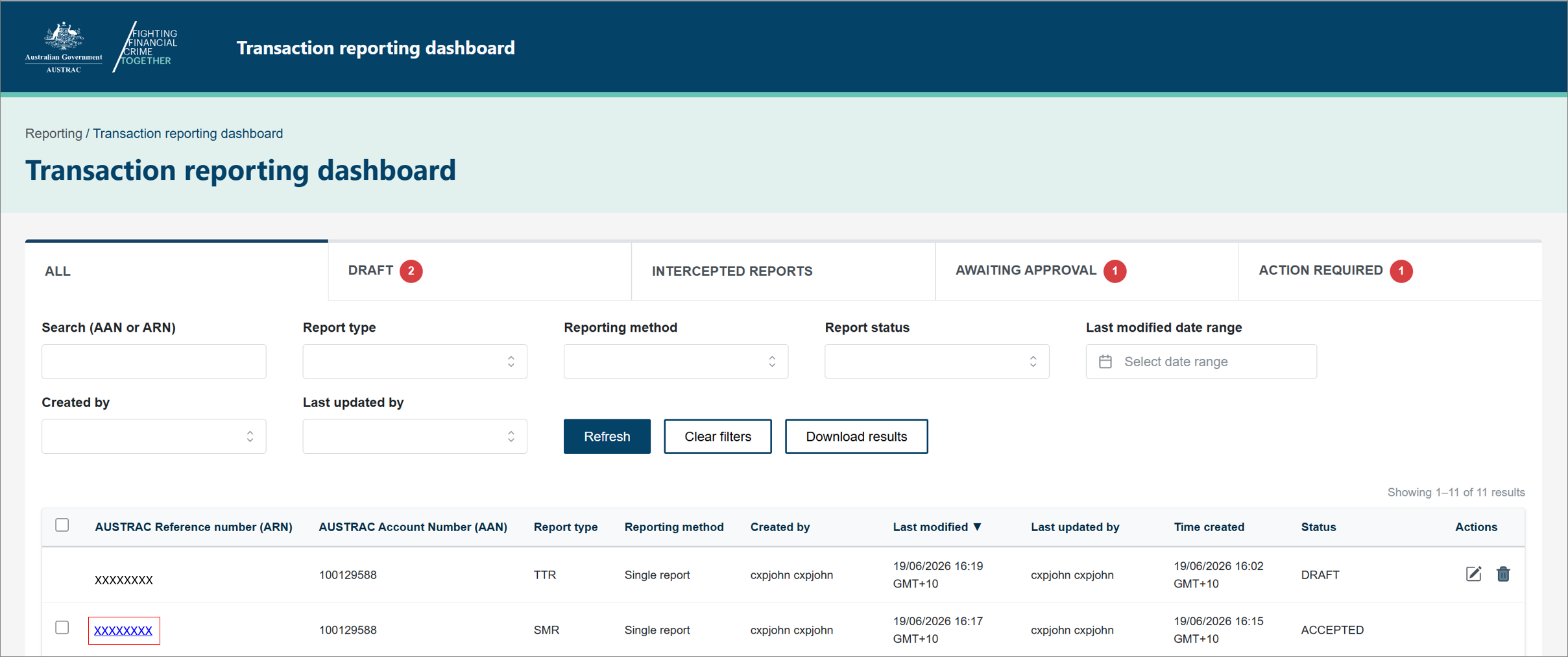 Click to enlarge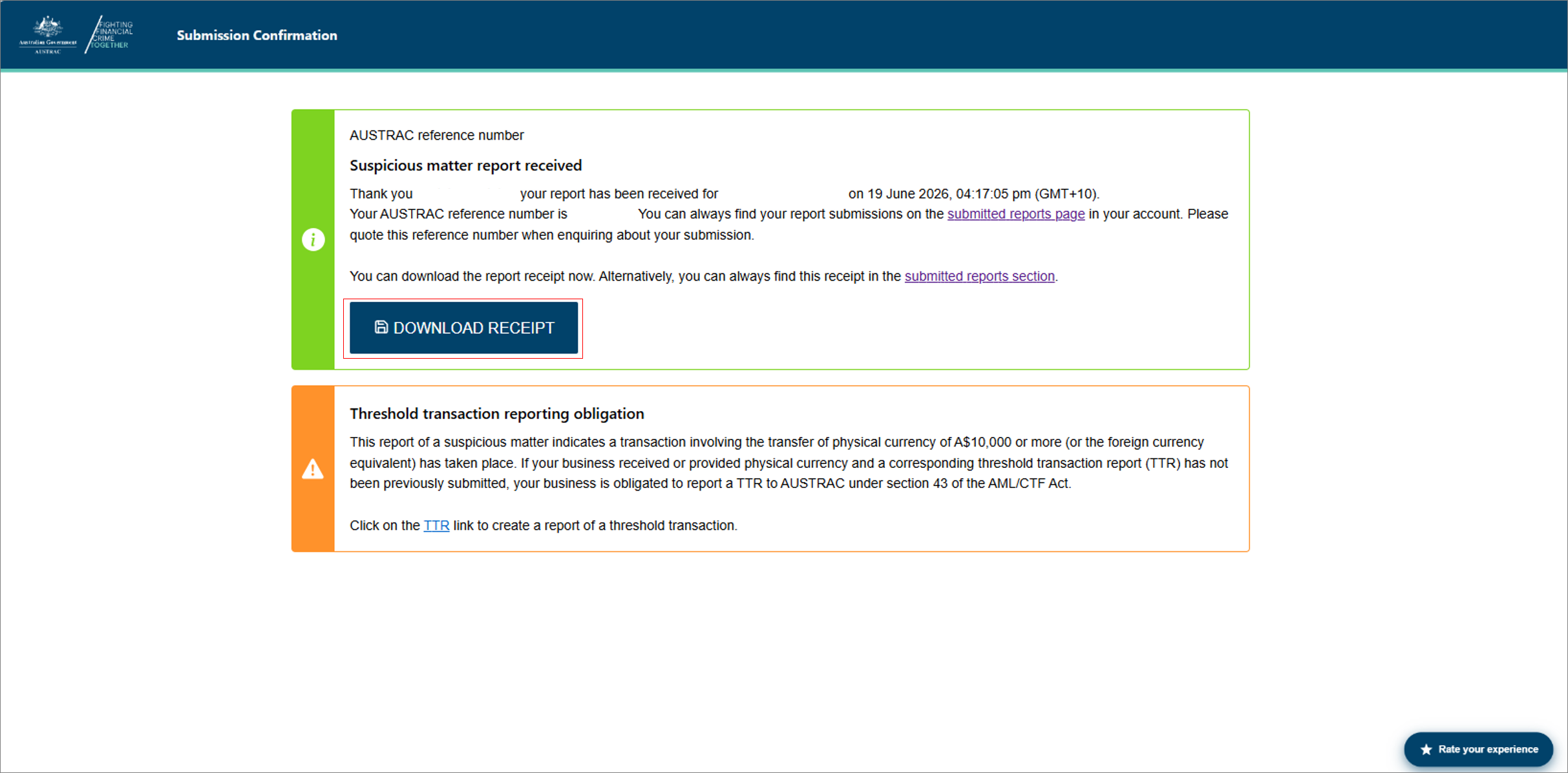
Fix a mistake in a report you already sent
Only a user with the RE.Administrator or RE.TR-Approver role can do this. A data-entry user can create and submit reports and see their own, but cannot amend or withdraw.
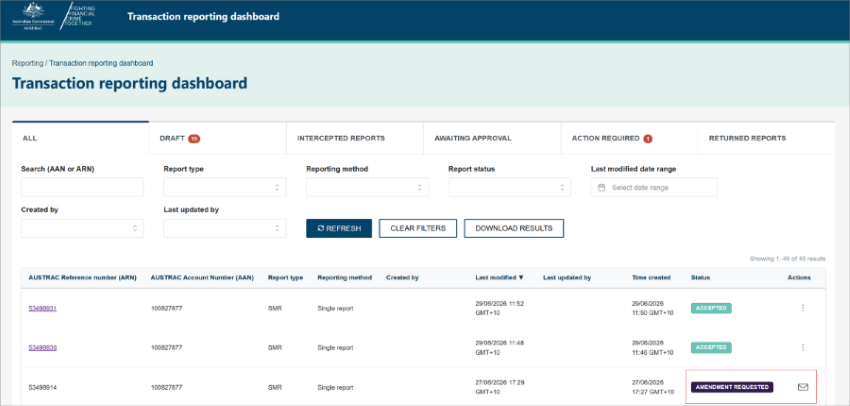
On the dashboard, in the Actions column for the report, select the three dots, then Request amendment or Request withdrawal.
 Click to enlarge
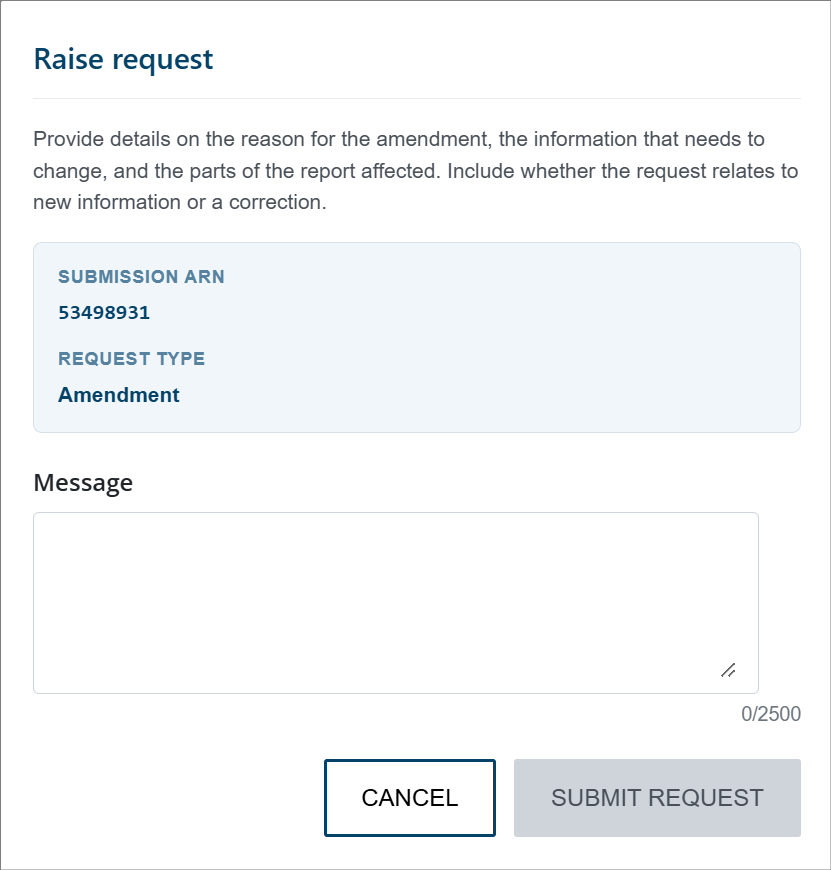
A Raise request form opens. In the Message field, for an amendment say what needs to change and which part of the report it affects; for a withdrawal say why. Select SUBMIT REQUEST.
 Click to enlarge
The report's status changes to Amendment requested or Withdrawal requested and becomes read-only. Select the mail icon to see the request and any reply from AUSTRAC.
Click to enlargeWhen AUSTRAC writes to you
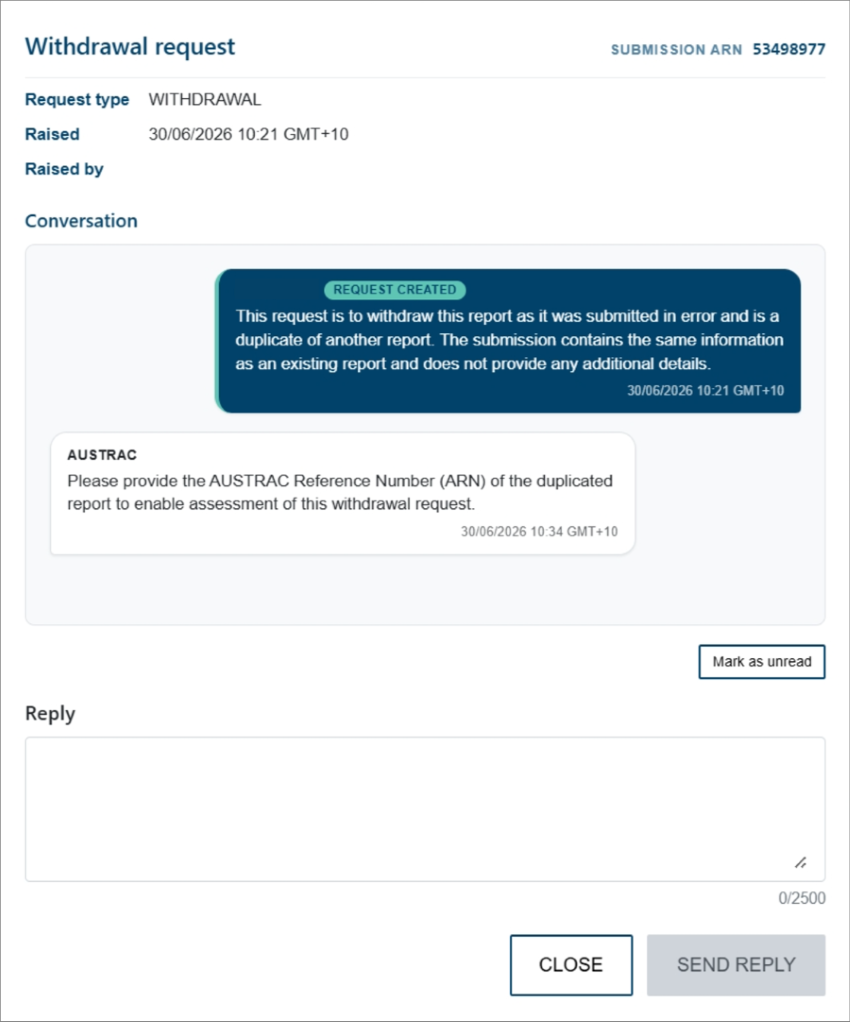
Read the message, type your answer in Reply, and select SEND REPLY.
 Click to enlarge
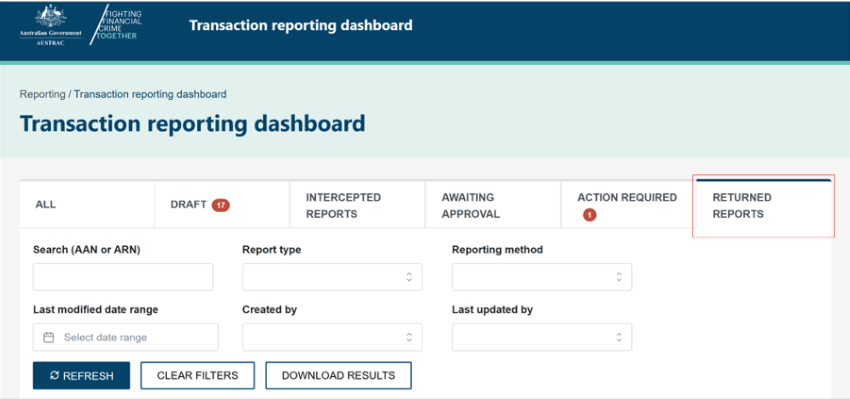
If AUSTRAC has returned a report, it shows as Returned. Open the returned report from the RETURNED REPORTS tab on the dashboard, make any change that is needed, and select Review and respond.
 Click to enlarge
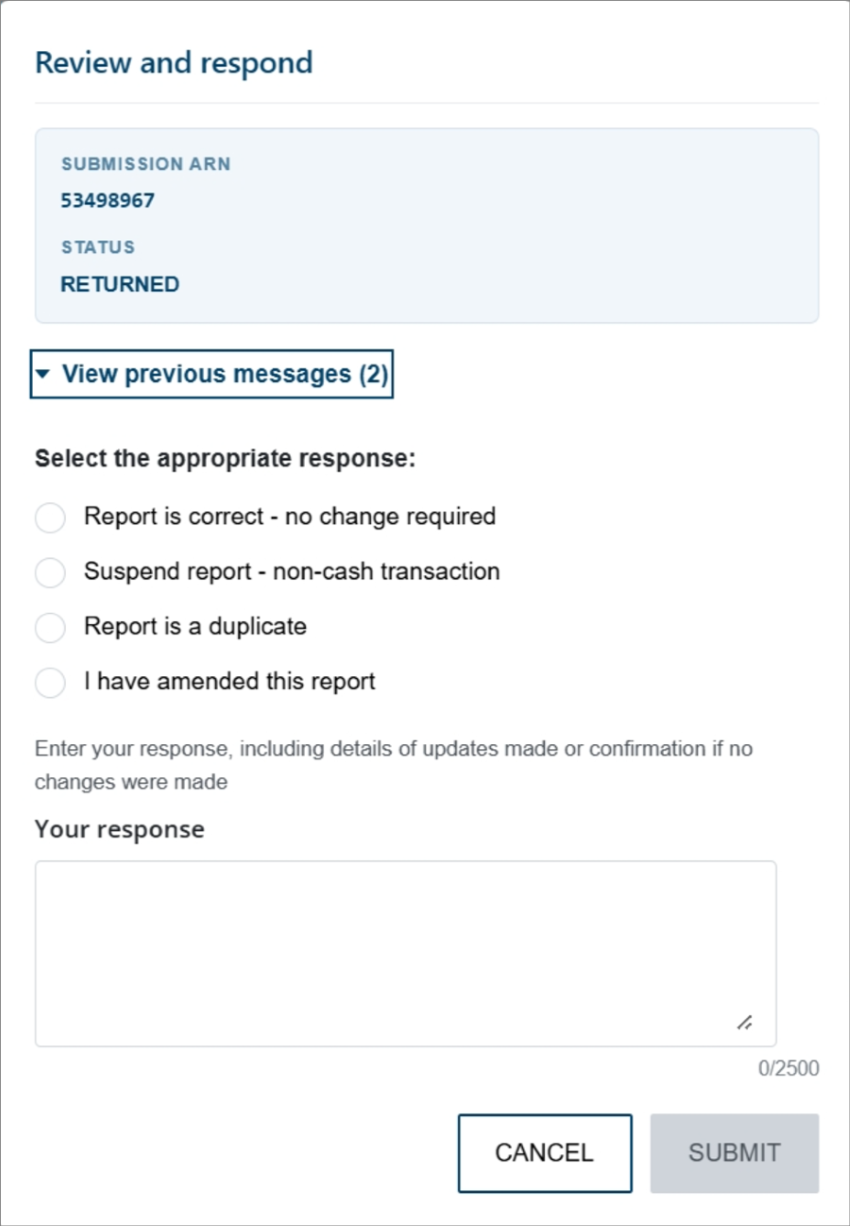
Select View previous messages if you want the history, pick the response that fits (the report is correct, suspend it, it is a duplicate, or you have amended it), enter your response, and select SUBMIT.
 Click to enlarge
What you will see when it worked
A saved receipt for the report. For a request, the new status on the dashboard and, later, AUSTRAC's reply behind the mail icon. For a returned report, your response and any updates are submitted back to AUSTRAC.
If something goes wrong
- You cannot see Request amendment. Your user role does not allow it; only RE.Administrator and RE.TR-Approver can. Ask the practice's AUSTRAC Online administrator to add one of those roles: Administration, Manage Users, Edit on your user, User Roles.
- You need to report a new suspicion about the same matter as an earlier report. Lodge a new SMR now, quoting the earlier report's reference number. Request the amendment on the earlier report separately; do not wait for it to be resolved first.
- AUSTRAC's message asks a question you cannot answer. Reply saying so and what you are doing to find out. Silence is worse than a partial answer.
Record it in AML Mate
AML Mate's SMR and TTR records show Lodged with AUSTRAC and the AUSTRAC reference number once you mark them lodged, but the app does not store the receipt or track an amendment, withdrawal or returned-report exchange. Keep the receipt file with your compliance records, and a note of anything AUSTRAC asks and how you replied, outside AML Mate. Open the reports hub.
Sources
- AUSTRAC, QRG: Navigating the reporting dashboardAUSTRAC last updated
- AUSTRAC, QRG: Requesting to amend or withdraw a reportAUSTRAC last updated
- AUSTRAC, tipping offAUSTRAC last updated
- AUSTRAC, QRG: Using the TTR/SMR training environmentAUSTRAC last updated
Screenshots © AUSTRAC for the Commonwealth of Australia 2026, used under CC BY 4.0. AUSTRAC does not endorse AML Mate.