
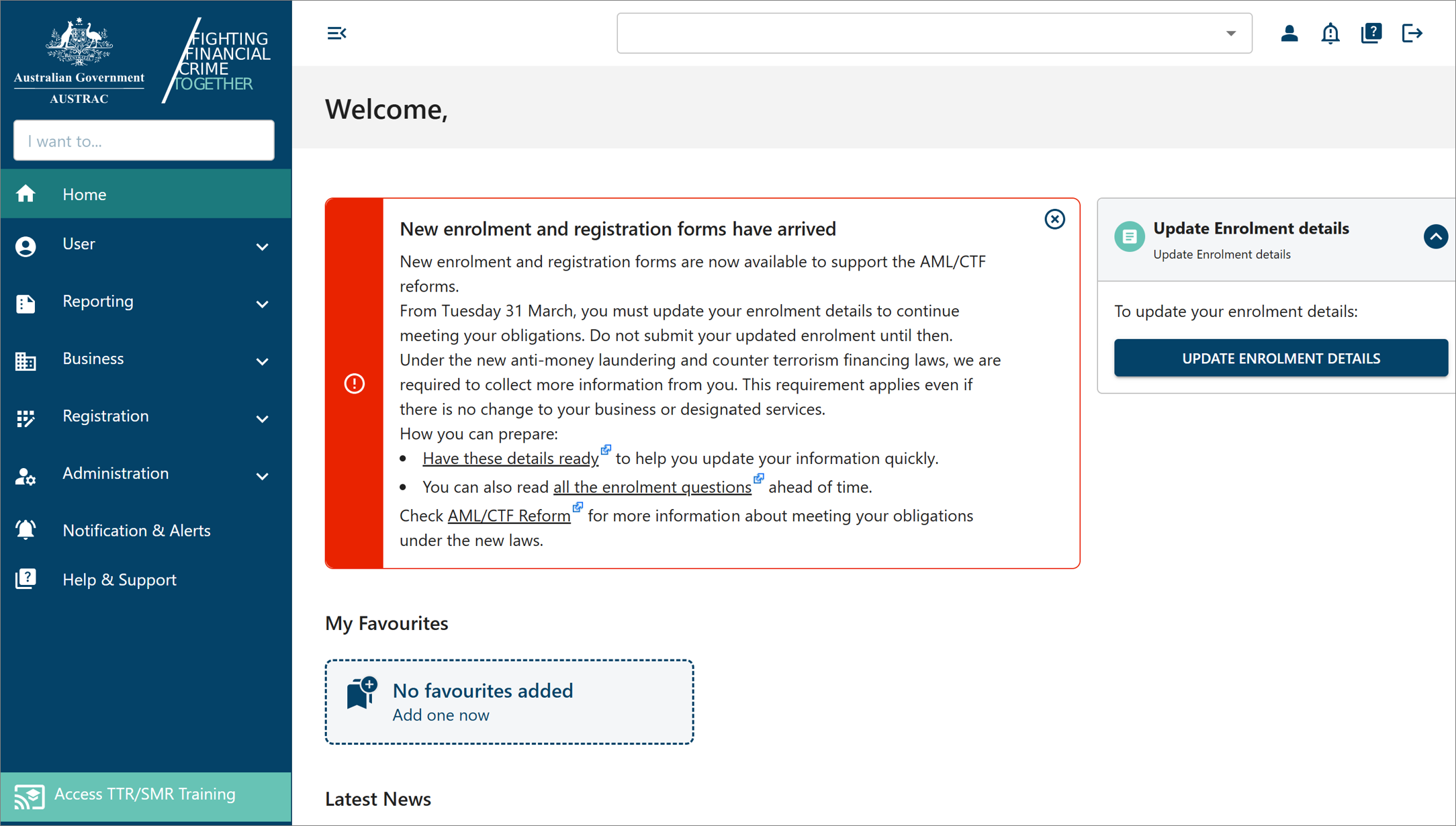
Find the form
Go to online.apps.austrac.gov.au and log in with your username, password and login code.
Select Reporting, then Make a Report.
Select Report SMR.
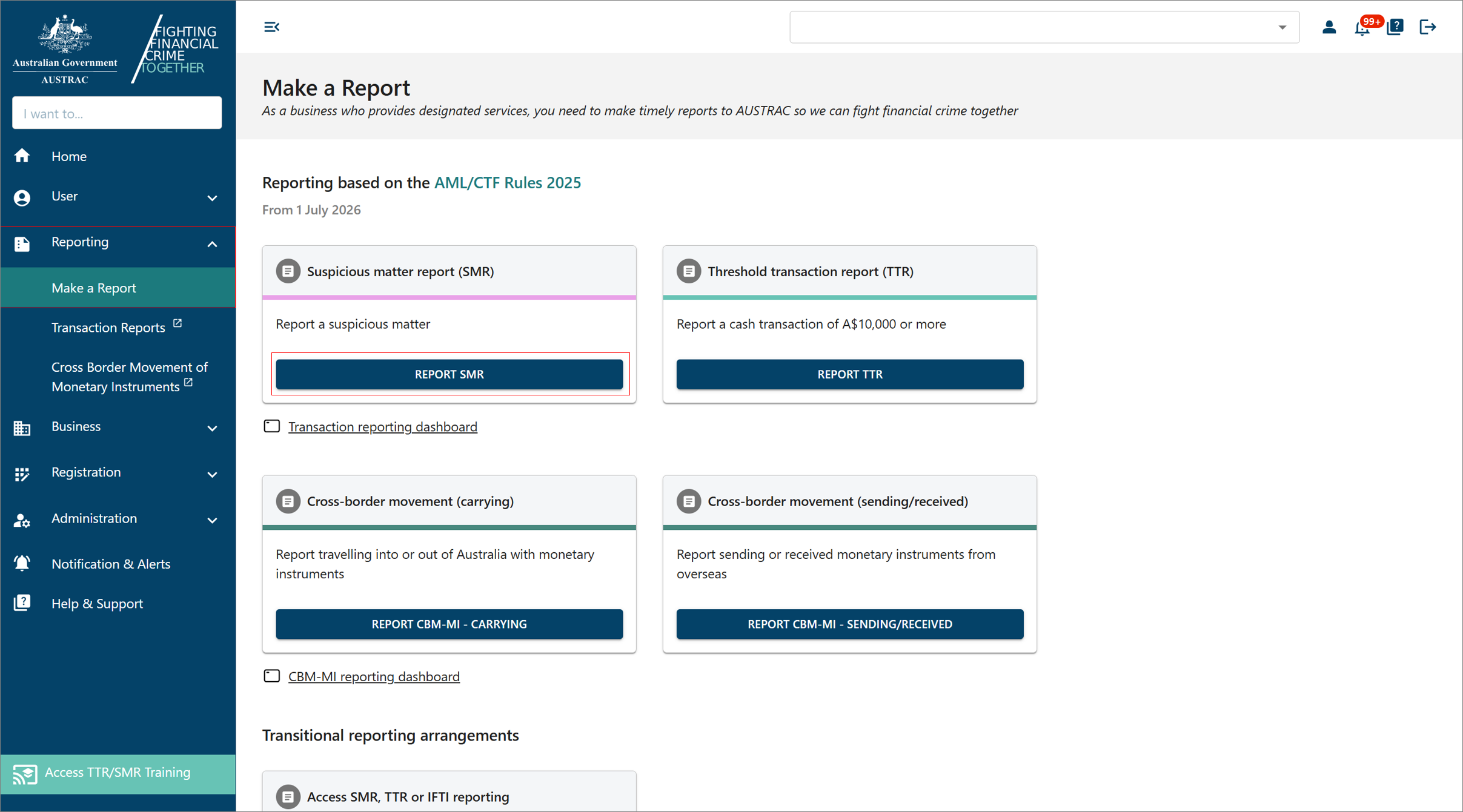 Click to enlarge
On the Suspicious Matter Report page, select Start single report. Ignore File upload: that is for software that produces XML files, not for a person typing a report.
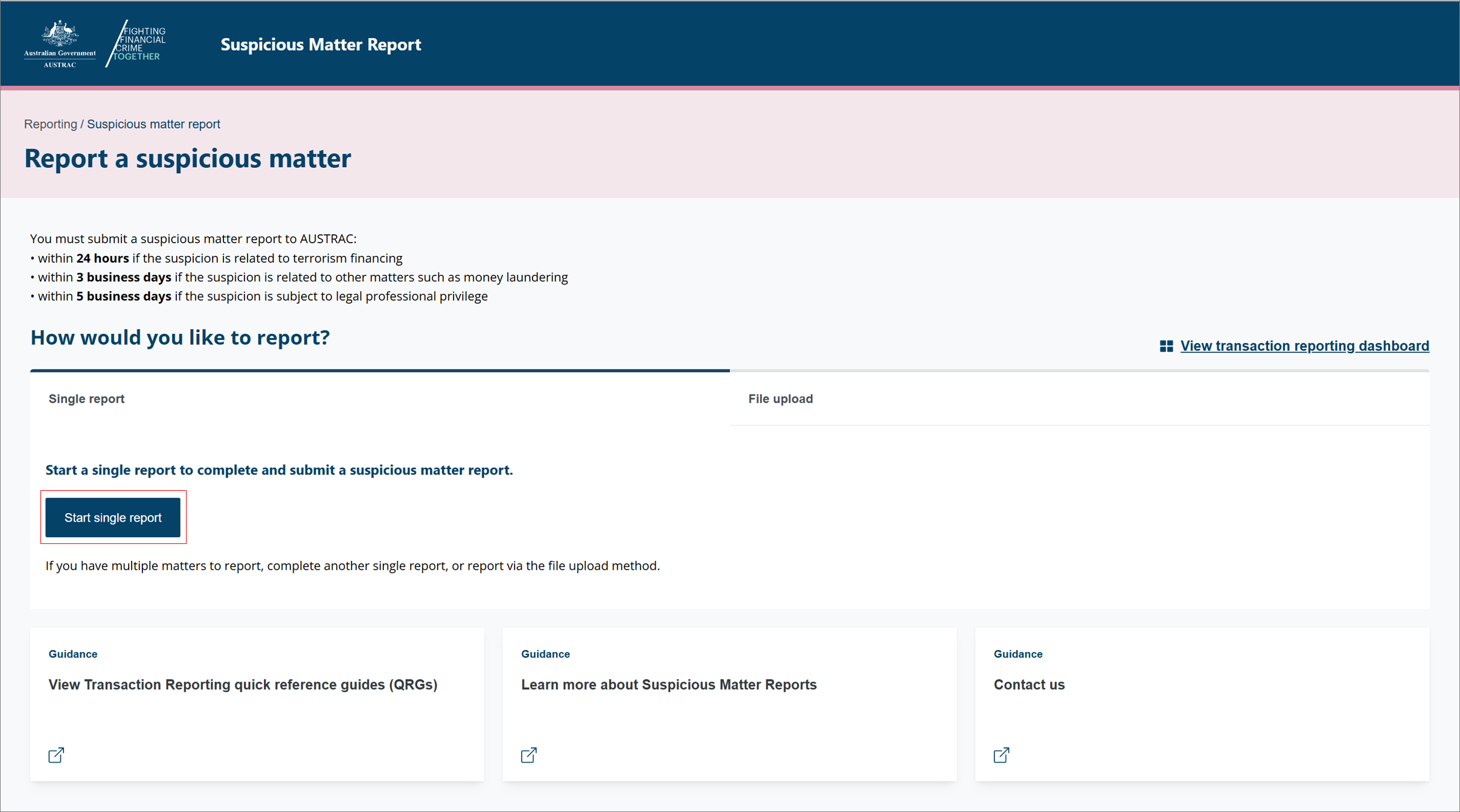 Click to enlarge
Fill it in
How the form behaves
Look at the panel on the left. It lists the sections of the report. A tick means a section is finished, an exclamation mark means it is not finished or has an error, and the green dots mark the section you are in. Move with next and back, or select a section name.
Fields with a ? beside them have a tip. Select it if you are unsure what the question means.
Enter every person and business involved before you fill in how they are connected and the transactions. Once they are listed you can pick same as instead of typing the same details twice.
Write your reason for the suspicion in plain sentences: what you saw, what did not add up, and when. Normal upper and lower case, not capitals. If you had already asked the customer more questions or checked where their money came from, say what you asked and what it showed.
If you need to stop, select save and close. The draft waits in the Transaction reporting dashboard. To pick it up again, open the dashboard, select the DRAFT tab, and select the edit icon in the Actions column. Select delete only if you want to throw the draft away.
Send it
In the summary and review section, read everything once more, then select submit.
What you will see when it worked
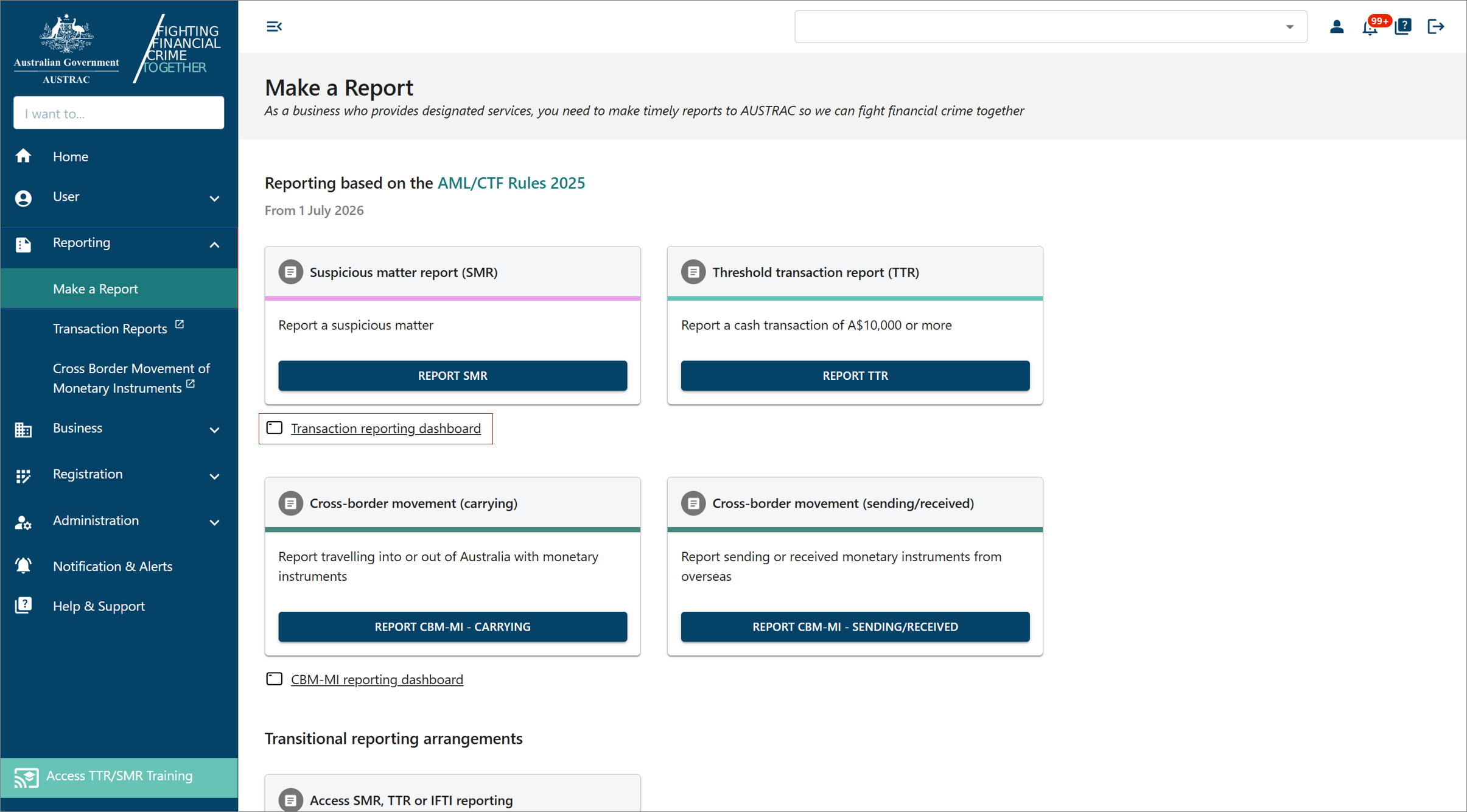
AUSTRAC acknowledges the report on screen. Your receipt, with an AUSTRAC reference number, sits in the Transaction reporting dashboard: select Reporting, Make a Report, then Transaction reporting dashboard, find the report, select its reference number, and select DOWNLOAD RECEIPT. Save the PDF with your compliance records. Once a report is submitted you cannot delete it; you can only ask to withdraw it, which is covered in after you lodge.
If something goes wrong
- A section shows an exclamation mark and submit will not work. Open that section from the panel on the left, fix the field it names, and try again. You must complete every required field.
- You submitted with a mistake in it. You cannot edit a submitted report. From the dashboard, request an amendment. After you lodge shows where the button is.
- You formed another suspicion about the same customer later. That is a new SMR. Quote the reference number of the earlier one inside it.
- You cannot log in and the deadline is today. Ring AUSTRAC on 1300 021 037 and record the time you called and what they said.
Record it in AML Mate
Prepare the report in AML Mate first: the guided SMR carries AUSTRAC's indicators and the 24-hour rule, and it gives you the wording to type into the portal. After you submit, once the report is marked ready to lodge, enter the AUSTRAC reference number and select Mark Lodged; the date is recorded automatically, so the file shows the report was lodged and when. Open SMR reports.
Sources
- AUSTRAC, QRG: Submitting a suspicious matter report (SMR)AUSTRAC last updated
- AUSTRAC, suspicious matter reportsAUSTRAC last updated
- AUSTRAC, QRG: Using the TTR/SMR training environmentAUSTRAC last updated
- AUSTRAC, QRG: How to submit TTRs or SMRs through a file uploadAUSTRAC last updated
- AUSTRAC, tipping offAUSTRAC last updated
- AUSTRAC, QRG: Navigating the reporting dashboardAUSTRAC last updated
- AUSTRAC, QRG: Requesting to amend or withdraw a reportAUSTRAC last updated
Screenshots © AUSTRAC for the Commonwealth of Australia 2026, used under CC BY 4.0. AUSTRAC does not endorse AML Mate.